Deploy on your own servers.
Apps, databases and services on machines you own. Push to deploy, get a domain with HTTPS, and run it all from one dashboard.
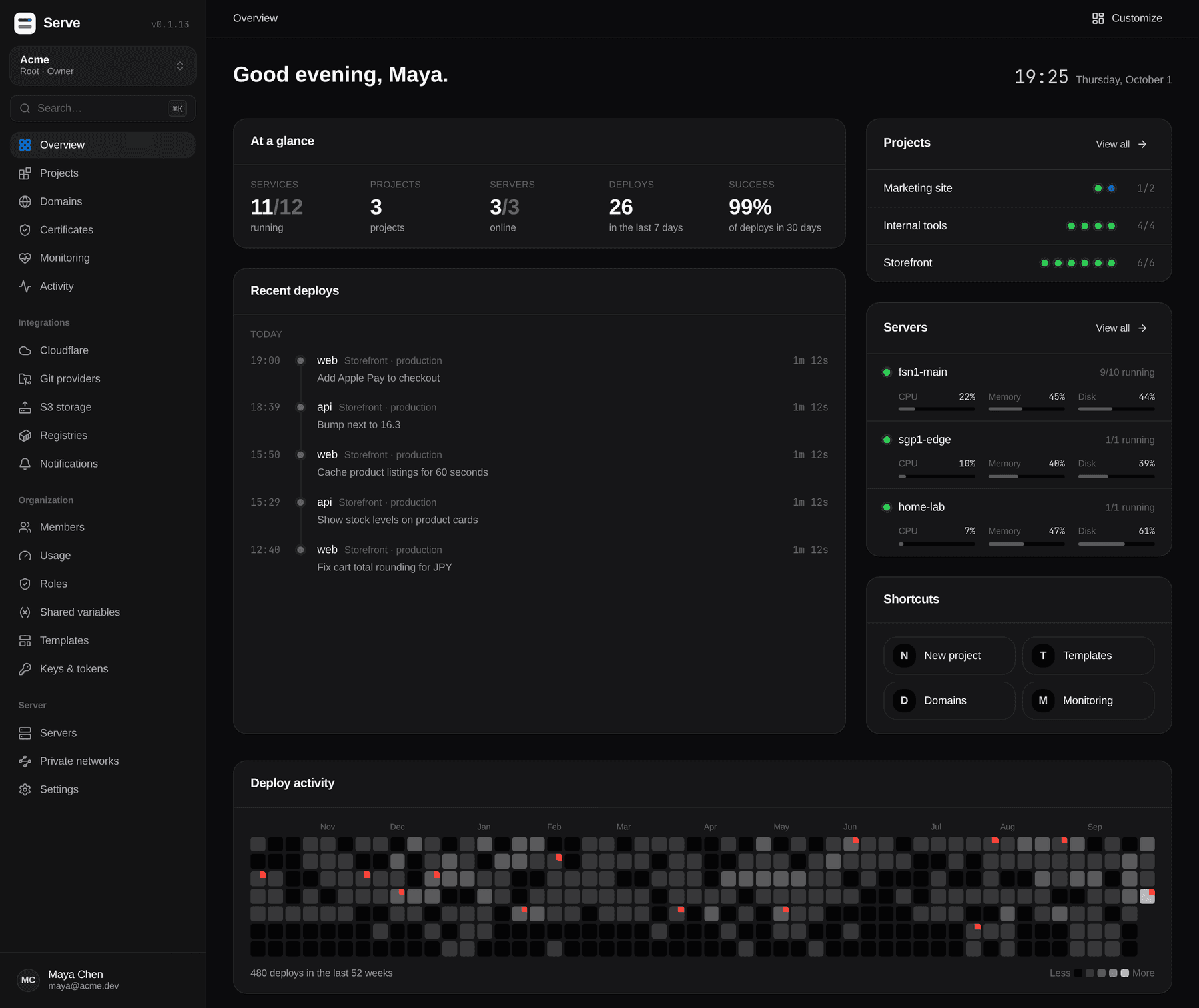
What it does
A whole platform, minus the bill.
Everything you'd reach for a hosted PaaS to do — on hardware you already pay for.
Apps from anywhere
GitHub, GitLab, Gitea, Bitbucket or any Git URL — or a Docker image, Dockerfile or Compose file. Builds with Nixpacks, Railpack, Buildpacks or auto-detection.
Databases
Postgres, MySQL, MariaDB, MongoDB, Redis, Valkey and ClickHouse. Scheduled backups to disk or S3, one-click restore.
One-click services
n8n, Uptime Kuma, Plausible, Ghost, Nextcloud, Vaultwarden, Grafana, MinIO and more — plus your own templates.
Safe deploys
Zero downtime, health checks, rollbacks and pull request previews. Approvals and deploy freezes when you need them.
Domains & HTTPS
nginx, Caddy or Traefik in front, with Let's Encrypt certificates that renew on their own.
Cloudflare
Manage DNS records and run Tunnels, so a server without a public IP can still serve the web.
Many servers
Add machines over SSH — even behind NAT — and join them with an encrypted private network.
Logs, your way
Ship logs to an HTTP endpoint, Loki, Elasticsearch, OpenSearch, Splunk or syslog.
Teams
Organizations, roles, project access, passkeys, two-factor auth and a full activity log.
How it works
From bare server to live app.
- 01
Install
Run one command on a Linux box. It installs Docker if it's missing and asks for three ports.
- 02
Connect Git
Link GitHub in one click, or add any other provider. Give the dashboard a domain for webhooks.
- 03
Deploy
New project → new service. Pick an app, database or template, check the settings, ship it.
- 04
Grow
Add servers over SSH when one isn't enough. Updates back up Serve first and roll back on failure.
Install
One command.
Any Linux server — Ubuntu, Debian, Fedora, Rocky — with 2 GB of RAM and root access. Then open http://<server-ip>:8000 and create the owner account.
Use a server dedicated to Serve: it controls Docker, which is equal to root on the host. Images ship for amd64 and arm64.
curl -fsSL https://serve.bd/install.sh | bash| Port | Used for |
|---|---|
| 80, 443 TCP | Your apps, through the proxy |
| 8000 TCP | The dashboard, until it has a domain |
| 7822 TCP | Servers without a public IP |
| 51820 UDP | Private network between servers |